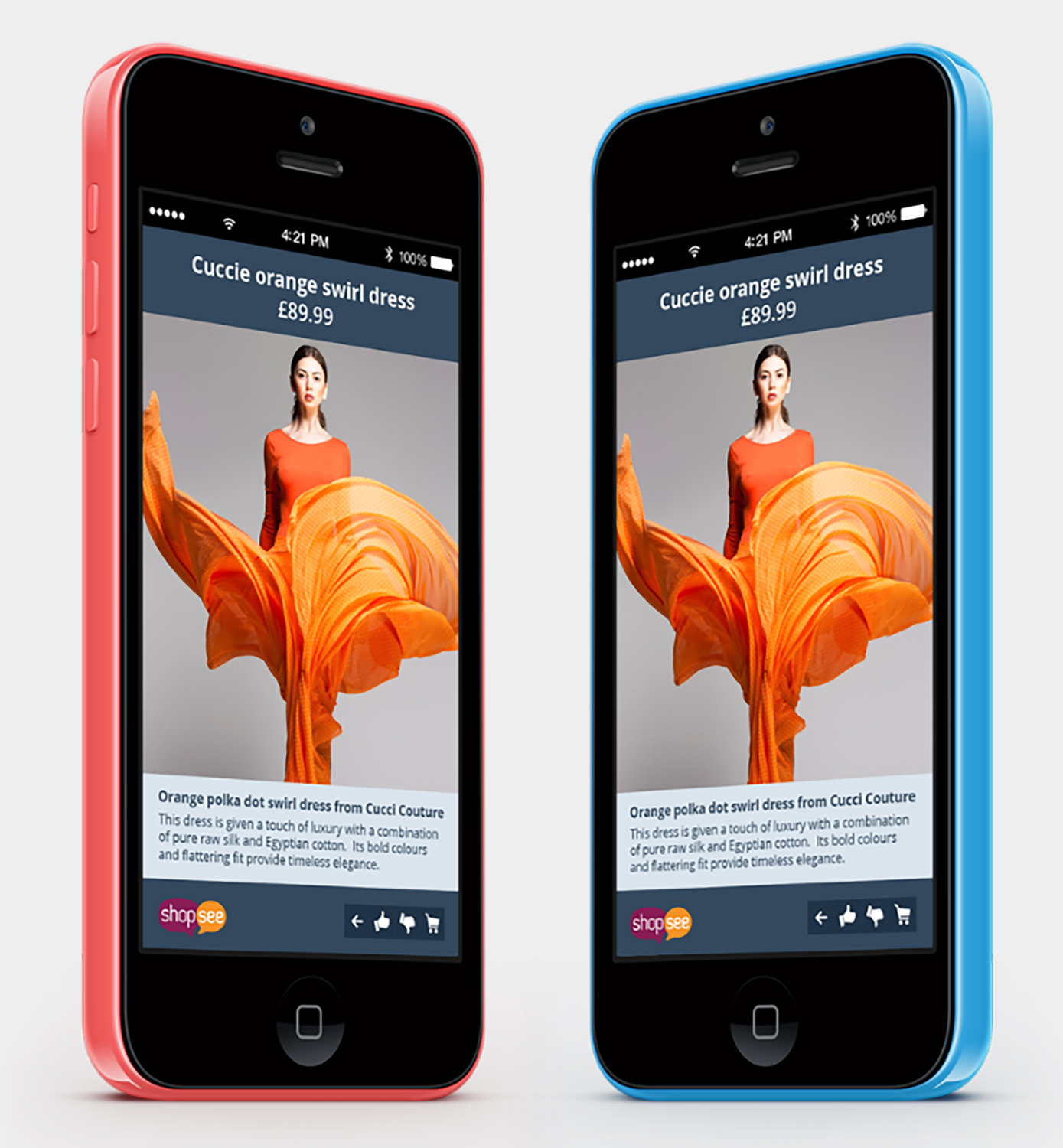

ShopSee Prototype
Exploring mobile-shopping analytics with Azure and SQL Server
Shopping is often a social activity. ShopSee, an experimental project from Simple Matters, explored how people could share opinions while shopping on their phones—and how that activity might provide useful information for retailers.
In 2014, Anatec developed the prototype analytics back end using Microsoft Azure and SQL Server. Our work focused on turning imperfect mobile events into structured information for reporting. ShopSee remained an experimental project and did not become an established production service.
Exploring the social side of shopping
Shoppers often want a friend’s opinion before making a decision. ShopSee explored a way to retain that conversation within the mobile-shopping experience, without repeatedly switching between a retailer’s application and separate messaging tools.
The idea also raised an analytical opportunity. Could information about views, ratings and other shopping activity help retailers understand interest in their products? Simple Matters owned the concept and mobile application. Anatec’s role was to design and build the analytics back end, with a functioning prototype intended for retailer demonstration.
From mobile activity to analytical information
The solution separated the work into clear stages. The ShopSee application received events from mobile devices and recorded them in a transactional SQL Server database. Anatec’s processing component, ShopSeeProcessor, prepared the data and loaded it into a separate SQL Server data warehouse. A web application reported from the warehouse.
The two data stores served different purposes. The transactional database held incoming events and the results of processing. The warehouse organised historical information for analysis, giving reporting its own structure rather than asking the incoming-event store to serve every need.
Making sense of events arriving out of order
The order in which events arrived was not necessarily the order in which they had happened. Before the data could support useful analysis, the processor needed to make sense of that sequence.
ShopSeeProcessor marshalled and resequenced events, attempting to preserve the original overall flow. It also detected missing or invalid events and handled them separately, keeping anomalies out of the analytical data.
This was an important part of the engineering challenge. A report can be clearly presented yet still be misleading if the events beneath it have been interpreted incorrectly. The processing therefore needed to account for imperfect input before that information reached the reporting stage.
Developing the approach through prototypes
The back end evolved through a series of prototypes. The project archive contains at least nine core iterations, with work covering data models, processing, deployment, data population and testing.
The later prototype included test harnesses and interface testing alongside the application and database work. These provided ways to exercise the processing and its interactions as the design developed.
Prototyping allowed the technical approach to take shape through working software. The data structures, processing and reporting were developed as connected parts of the solution, giving substance to an idea that still needed exploration.
Handling failures as part of the design
ShopSeeProcessor ran unattended as a Windows service in an Azure virtual machine, processing incoming events every 15 seconds. An unattended process needed to handle more than the expected sequence of events.
Retry logic dealt with transient database errors. Transaction-based writes allowed partial failures to be rolled back, helping prevent incomplete changes from being left in the database. Operational logging recorded processing activity, data anomalies, retries and errors so that problems could be investigated.
These mechanisms made reliability something to address within the prototype itself. They provided concrete ways to handle temporary faults and understand what the processor was doing.
Organising the data for reporting
The warehouse used a star schema: a structure that organised recorded activity and its descriptive information for efficient reporting. It retained historical data at individual-event level, preserving detail beyond summary totals.
The model covered item views, purchases and returns, ratings, and posted text or sentiment information. Reporting procedures supported analysis by item or category and by time periods, including day of the week, month and three-hour intervals.
This gave the prototype a basis for exploring different analytical questions. Retaining the underlying events meant reporting was not limited to the aggregates chosen at the outset.
What the prototype demonstrated
ShopSee provided a practical example of application, cloud and data engineering working together. Anatec developed an approach to receiving imperfect activity data, processing it carefully, retaining structured history and making the results available for reporting.
The value of the work lay in exploring those technical questions through successive prototypes. It showed the engineering involved in taking an analytical idea beyond a presentation and into working software.
What could you explore?
If you have an idea for a new service, an uncertain data flow or information you would like to turn into useful analysis, a prototype can help you investigate the difficult parts before making a larger commitment.